kenaAndroid & iOS App
Our kena app brings slot tournaments, live-casino tables, and sportsbook markets directly to your mobile device. Whether you download the Android APK or access kena through your iOS browser, your account balance, tournament history, and payment methods remain synchronized across all platforms. We prioritize mobile-first design so you can participate in Aviator, Sweet Bonanza, Gates of Olympus, Fortune Tiger, and Mahjong Ways tournaments from anywhere, and monitor live-casino and sportsbook activity in real time.

- Update
- and
- LoginOTP Verification
- DownloadAPK
Mobile access to kena simplifies account management during your day. You receive push notifications for tournament starts, live-dealer session availability, and withdrawal status updates. Our app stores your secure session locally so you remain logged in, and downloads game assets to your device to reduce latency during gameplay. All data in transit is encrypted, and your identity verification documents are stored securely on our servers, not on your device.
Getting kena on your phone takes just a few minutes. Android users download our APK directly from this page. iOS users access kena through their Safari or Chrome browser—no App Store approval needed. Both paths lead to the same unified account, payment methods (e-wallet, mobile banking, local payment, online payment, e-wallet, mobile banking, local payment, online payment, e-wallet, mobile banking), and tournament leaderboards. If you encounter any issues during installation or login, our support team is available during business hours (7 AM–11 PM UTC+7, Monday–Friday) to help.
Installation paths for kena on Android and iOS
We offer three ways to access kena on your mobile device. Choose the method that best suits your device type and comfort level.
Download and install kena
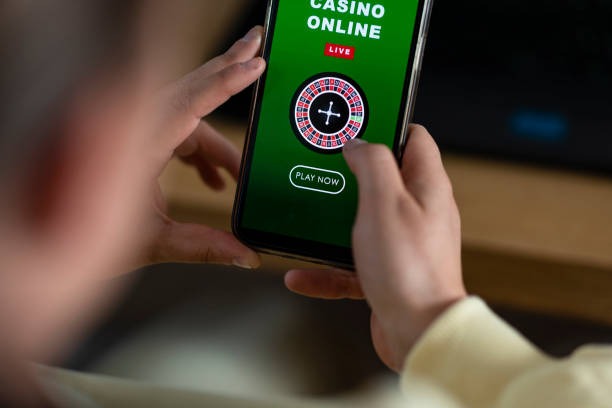
Installation walkthrough for kena
-
1
Download the APK or open your browserStep 1
Android users download the kena APK file directly to their device from the link above. iOS users open Safari or Chrome and navigate to kena.bet, then bookmark the page for quick access.
-
2
Allow unknown sources (Android only)Step 2
On Android, go to Settings → Security → Unknown Sources and enable it temporarily so your device permits the kena APK installation. After installation completes, you can disable this setting again.
-
3
Create or log in to your kena accountStep 3
Launch the kena app or browser page. If you are a new user, complete registration by providing your username, email, password, and mobile number. If you already have an account, log in with your username or email and password.
-
4
Start using kenaStep 4
Deposit funds via your preferred payment method (DANA, e-wallet, mobile banking, local payment, online payment, or bank transfer), then browse slot tournaments, live-casino tables, and sportsbook markets. Your balance and account settings sync instantly across all devices.
Native app versus browser access on kena
Our kena app (Android APK) and browser experience (iOS / web) deliver the same core features, but each has distinct strengths. The native Android app downloads slot game assets to your device, reducing load times and latency during gameplay. It also caches account data locally so you can navigate your tournament history and leaderboards without a constant internet connection. Push notifications alert you in real time when a new tournament starts, a live-casino session opens, or your withdrawal clears—even if the app is not actively running.
Browser access through iOS Safari or web Chrome offers flexibility: no download, no APK file storage on your device, and automatic updates whenever we deploy new features to kena.bet. You can access kena from any device with a browser without creating separate accounts. Both paths use the same encrypted login and maintain your unified balance across all sessions. If you prefer minimalist setup and do not mind slightly longer initial load times, browser access suits you. If you value offline navigation and instant notifications, the Android app is your choice.

Device requirements for kena mobile access
Our kena Android app runs on Android 7.0 and later. Most devices from the past five years meet this requirement. iOS users need Safari or Chrome on iOS 12.0 or later; again, most modern iPhones and iPads support these browsers. We test kena on common devices from major manufacturers (Samsung, Oppo, Vivo, Apple, Xiaomi) but recommend checking your device specifications if you encounter performance issues. Ensure you have at least 50 MB of free storage for the Android APK and reasonable mobile data coverage (3G or better) for smooth gameplay and tournament participation.
Common installation and access issues on kena
If the Android APK file does not install, verify that Unknown Sources is enabled in your device Security settings and that the file downloaded fully (check your Downloads folder). If you see a "Certificate not trusted" or "Signature invalid" warning, do not worry—this is normal for third-party APKs outside the Google Play Store. Our APK is signed and secure; tap Install anyway. If iOS Safari fails to load kena.bet, clear your browser cache and cookies (Settings → Safari → Clear History and Website Data), then refresh the page. If you cannot receive push notifications, check that kena has permission to send notifications in your device Settings → Apps → kena → Notifications. Users in Jakarta, Surabaya, Bandung, Medan, and Semarang sometimes experience slower load times during peak hours; this is temporary and clears once tournament capacity balances.
Data, permissions, and security on kena mobile
All communication between the kena app (or browser) and our servers is encrypted using SSL/TLS protocols. Your login credentials, payment information, and betting activity are never stored in plain text on your device. We use your device's secure storage to encrypt your session token so you stay logged in without storing your password. During KYC verification, your identity and address documents are transmitted encrypted to our servers and stored in a secure database separate from your account profile. We request minimal device permissions: notifications (to alert you of tournaments and withdrawals), location (to verify you are in a supported jurisdiction), and file access (to read documents during KYC upload). We do not sell, share, or monetize your personal data. If you wish to delete your kena account and all associated data, contact our support team during business hours.
kena on mobile gives you tournament leaderboards, live-dealer tables, and sportsbook markets in your pocket—all secured by encrypted connections and verified account access.
Getting help with kena mobile access
If you encounter problems logging in, installing the app, or using kena features on mobile, our support team is available during business hours (7 AM–11 PM UTC+7, Monday–Friday, with lighter weekend coverage). Reach us through in-app help or email. Common issues—forgotten passwords, payment method errors, tournament access—typically resolve within one to two business hours. For account security issues (suspected unauthorized access, compromised password), respond immediately to our support team and follow their recovery steps. We do not process support requests through social media or unverified channels. Always verify you are contacting kena's official support before sharing any personal or account information.
Our kena mobile setup is optimized for tournaments and live-casino play on Android and iOS devices. Download the app today and sync your account across all your devices.
Summary: kena on your mobile device
Installing kena on Android (APK download) or iOS (browser bookmark) takes just a few minutes. Your account, balance, and payment methods remain synchronized across mobile, tablet, and desktop, so you can join tournaments and place bets from any device. We prioritize security with encrypted connections, local session caching, and secure KYC verification. Push notifications keep you updated on tournament schedules, live-dealer availability, and withdrawal status. Whether you prefer the offline-capable Android app or the flexible browser experience, kena delivers the same secure, mobile-first gaming environment featuring slot tournaments (Aviator, Sweet Bonanza, Gates of Olympus, Fortune Tiger, Mahjong Ways), live-casino tables (blackjack, roulette, baccarat, Dragon Tiger), sportsbook markets (Liga 1, Piala Indonesia, Piala AFF, badminton, MotoGP, esports), and payment support (e-wallet, mobile banking, local payment, online payment, e-wallet, mobile banking, local payment, online payment, e-wallet, mobile banking). Download kena today and start playing on your phone.